
People searching for a systeme.io review usually want one answer before they open an account: is the cheap tier enough, or does the whole thing fall apart the moment a list grows. Checked on 24 November 2026, the four plans read $0, $17, $47 and $97 a month, the checkout takes no percentage of your sales, and no subscription payment is refundable once billed.
This review works through what each tier actually caps, what the checkout really costs after the payment gateway adds its own cut, and which single workflow decides whether Startup holds a coaching business for a year. Every figure below was read from the vendor’s price page, terms of service and billing help pages on 24 November 2026, and the three competitor prices in the comparison came off their own price pages the same afternoon.
Executive Summary
For a first offer with a list under five thousand names, this platform replaces four subscriptions with one bill and does it without charging a share of revenue. The ceilings, not the feature list, decide which tier you need, and the free plan’s sales cap is the first wall most sellers hit.
- Best For: A coach, course seller or digital product shop with fewer than 5,000 contacts who wants funnels, email, a course area and a checkout under one login.
- Pricing: Free $0, Startup $17, Webinar $47 and Unlimited $97 a month, or $170, $470 and $970 a year, which works out to two free months on every paid tier.
- Strength: The vendor keeps 0% of each sale, sub-accounts cost nothing extra on any tier, and the automation builder ships inside the cheapest paid plan instead of a higher one.
- Drawback: Subscription payments are not refundable, the free plan stops at $10,000 of sales, and the built-in blog is too thin to run an SEO strategy on.
In a hurry? The plan table further down settles the cost question in four rows.
Table of Contents
- What One Bill Actually Buys
- How This Systeme io Review Was Scored: Five Weighted Checks
- Funnels and Landing Pages: An Offer Shipped in an Afternoon
- Email, Tags and Automation: Where the Free Plan Stops
- Courses and Community: The Student Cap Buyers Miss
- What the Four Plans Cost, Checked on 24 November 2026
- Kajabi Keeps the Course Seller, Systeme.io Keeps the Beginner
- Where It Falls Short: No Refunds, a Sales Ceiling, a Thin Blog
- A Follow-Up Sequence Built From Six Blocks
- Imagine a Coach With 2,400 Contacts and a Launch Next Month
- The Verdict for Coaches, Course Sellers and Product Shops
- FAQ
What One Bill Actually Buys
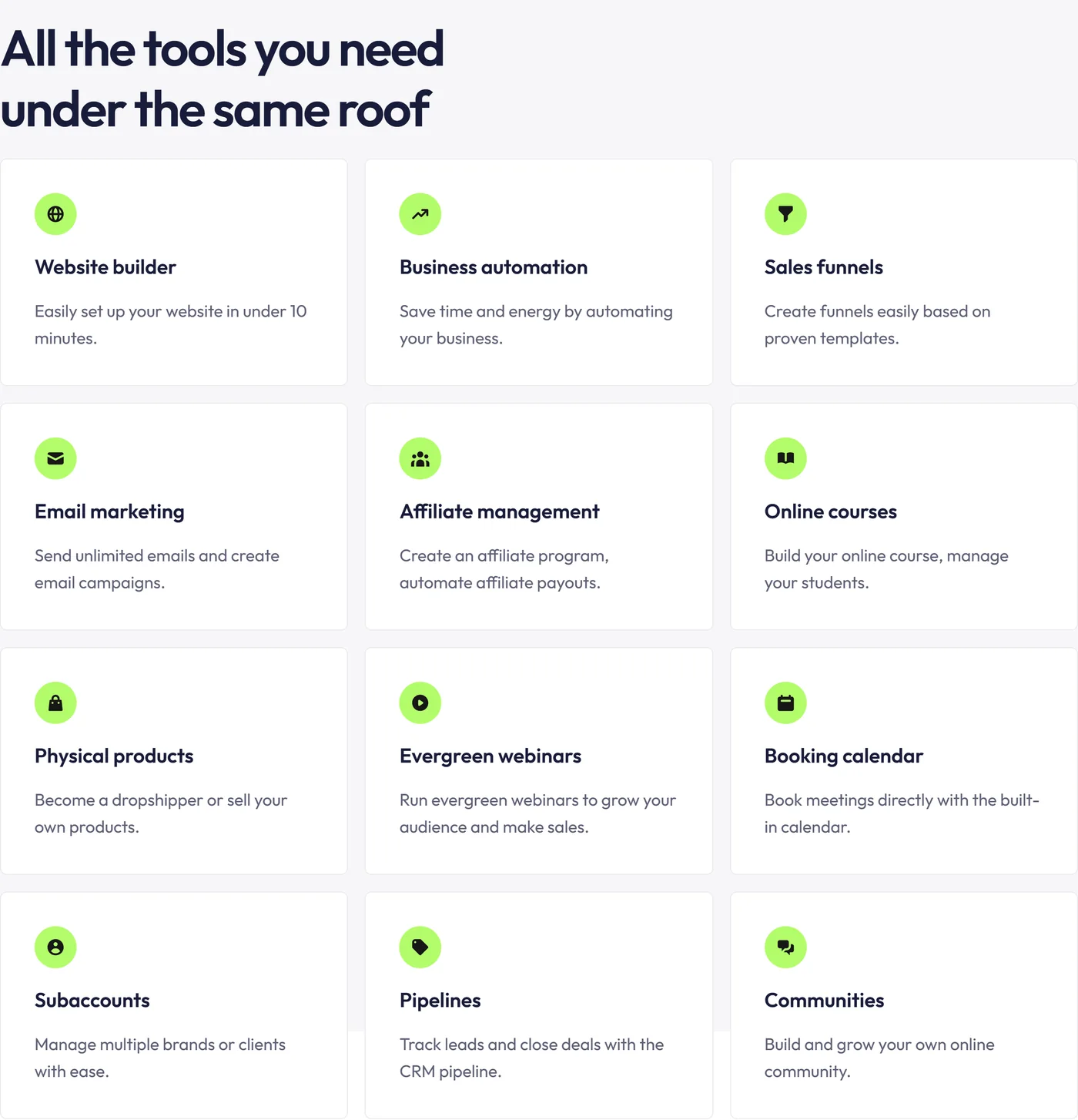
Every tier carries the same toolbox: sales funnels with order bumps and upsells, email campaigns and newsletters, a blog, an online course builder, a community area, a booking calendar, a link-in-bio page, physical product checkout and your own affiliate program. Paying more does not unlock extra tools, it raises the number of contacts, funnels, courses and automation rules the account will hold. That distinction matters when you compare against the rest of the Systeme.io stack, because a beginner on the cheapest tier is not missing features, only capacity.
Two inclusions are worth more than the price suggests. Ask for a sales funnel builder elsewhere and the student or contact cap usually arrives with it, while here the paid tiers carry no student limit at all and only the course count changes. The second is the sub-account rule: one subscription can hold any number of client accounts, and each of those accounts inherits the parent’s limits at no extra charge. A freelancer running six client funnels pays for one plan.
What the bill does not buy is depth in any single area. The blog is a page editor with post scheduling rather than a publishing platform with schema controls and internal linking tools, the CRM holds tags and pipelines without the reporting layer a sales team expects, and SMS is billed separately rather than bundled. Buyers arriving from a larger platform notice those gaps in week one, and the honest framing is that this is a first-business toolkit rather than a replacement for five specialists.
How This Systeme io Review Was Scored: Five Weighted Checks
Five areas were weighted before any price was read, so the score could not be fitted to a conclusion afterwards. Funnels and pages carry a quarter of the total because that is the job most buyers arrive for, email and automation and courses and community carry a fifth each, payments carry fifteen percent, and value for money holds the last twenty. Each area was scored from published limits and documented behavior rather than from a trial account, which is the ceiling on what any reviewer reading public pages can claim. Whether the company behind the platform is legitimate is answered in the Systeme.io legitimacy check.
| Area checked | Weight | Score | Why |
|---|---|---|---|
| Funnels and pages | 25% | 9.0 | Order bumps, upsells, deadline funnels and templates inside the entry tier |
| Email and automation | 20% | 8.0 | Rules, tags and campaigns build fast, but the free plan allows a single rule |
| Courses and community | 20% | 7.0 | Unlimited students, thin on drip scheduling and certificates |
| Payments and checkout | 15% | 8.5 | Stripe, PayPal and six regional gateways, no vendor cut |
| Value for money | 20% | 9.5 | $17 a month for funnels, email and a course area together |
| Weighted total | 100% | 8.43 | Strong first-business score, held back by course depth |
The 8.43 lands above what a $17 subscription normally earns in this category, and the reason is arithmetic rather than generosity. Every scored area except courses arrives complete on the entry tier, so the score does not depend on buying up. Read the table the other way and the weak line is visible: courses score lowest because drip scheduling, certificates and student progress reporting are basic compared with a dedicated teaching platform. Course creators can compare how each platform handles cohorts, certification and student apps in Systeme.io vs Kajabi.
Funnels and Landing Pages: An Offer Shipped in an Afternoon
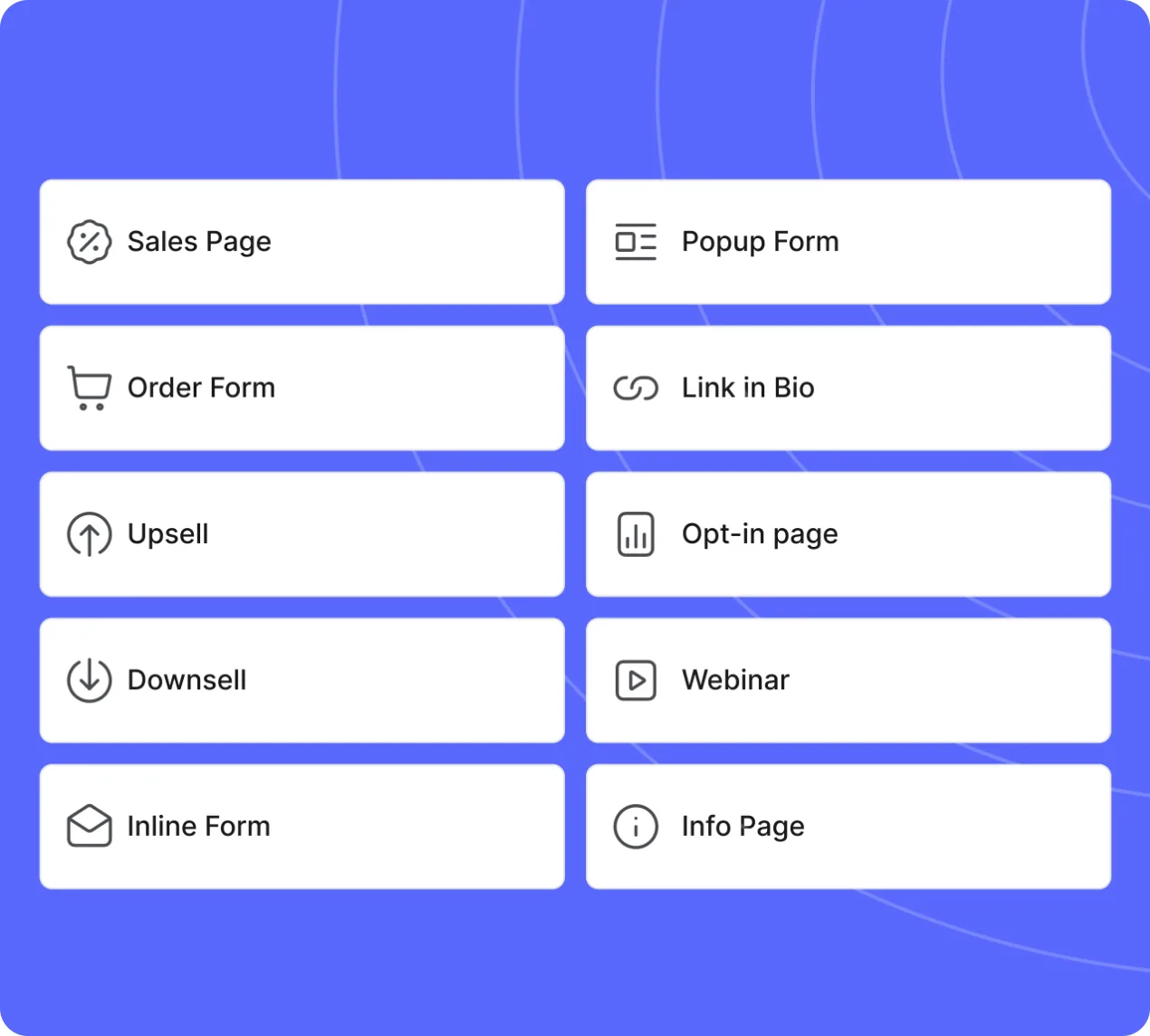
A funnel here is a named container of pages, and the editor opens on a template gallery rather than a blank canvas, which is the difference between shipping tonight and abandoning the project on Sunday. Pages support order bumps, one-click upsells, A/B tests and deadline funnels on the entry tier, so a two-page opt-in and a thank-you page with an upsell is a twenty minute build once the copy exists. Ten funnels on Startup is generous for a single business and short for an agency, which is why the sub-account rule matters more than the funnel count.
Page speed and mobile rendering are handled by the platform rather than by the seller, and templates arrive pre-set for both breakpoints, so the usual weekend spent fixing a hero section on a phone disappears. What the builder does not give you is full code control: custom scripts are supported through integrations, yet a page whose layout needs hand-written CSS will fight the editor. Each funnel can be duplicated and renamed, so a second offer is a copy plus new copy rather than a fresh build.
Email, Tags and Automation: Where the Free Plan Stops
Sending is unlimited on every plan, including the free one, which removes the usual fear of paying per thousand emails. What is capped is the number of automation rules, and that cap bites earlier than the contact cap does. A welcome sequence, a cart recovery and a webinar reminder are three rules, and the free plan allows one, so the first serious follow-up flow is what pushes a beginner onto the $17 tier rather than the size of the list.
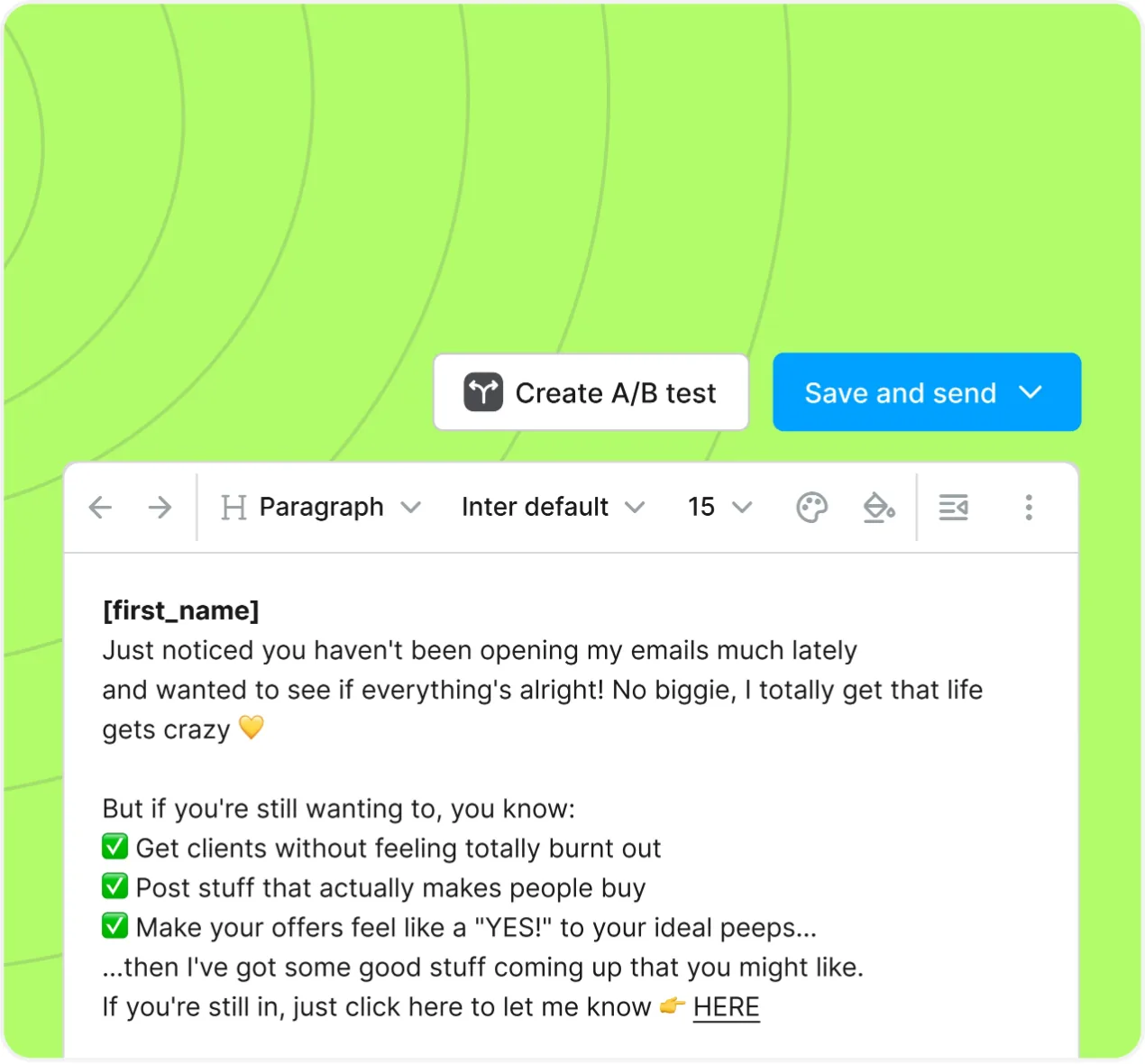
Rules run on triggers rather than on a full journey canvas, which makes them quick to reason about and awkward to audit once there are thirty. Tags do the segmentation work, and a contact can hold as many as you assign, so a single rule can branch on a tag instead of needing one rule per segment. Campaigns and newsletters sit alongside the rules in the same tab, and the editor saves drafts without a separate confirmation step.
Deliverability is the part no plan table shows. The platform sends from its own infrastructure, and a new account sending to a purchased list will land in spam regardless of tier, so domain authentication and a warm-up period belong in the budget alongside the subscription fee. Ten rules on Startup cover a welcome flow, a launch sequence, a cart recovery and a re-engagement branch with room left over, while Webinar’s hundred rules exist for webinar-heavy businesses running a separate flow per session.
Courses and Community: The Student Cap Buyers Miss
Students are unlimited on the three paid plans, and the free plan caps enrollment at five hundred. The course count is the tighter limit: one on the free tier, five on Startup, twenty on Webinar, unlimited above that. A seller bundling a mini-course with every offer runs out at five faster than expected, and the upgrade that follows costs more than the annual saving on the tier below. Modules, lessons, drip release and a community space per course are all present, and the community supports posts and comments without the moderation tooling a large group needs.
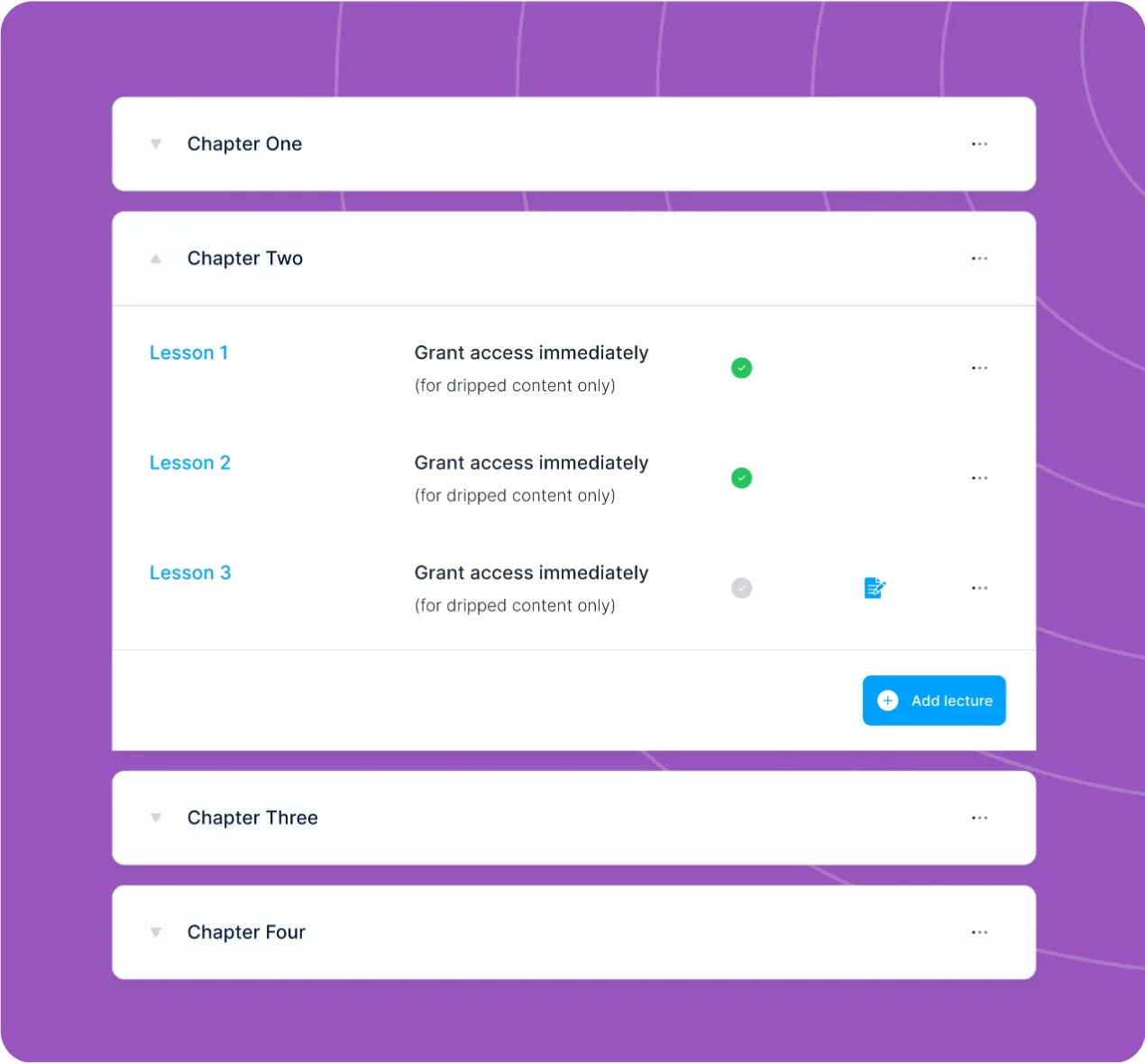
What is missing compared with a dedicated teaching platform is the reporting layer. There is no cohort analytics view, no certificate builder beyond a basic completion page, and no native quiz engine, so a course business selling accredited training will end up adding a second tool. For a coach selling a $300 group program to a list of a few thousand, the gap never shows up.
Want to follow these checks inside your own account while you read?
What the Four Plans Cost, Checked on 24 November 2026
Pricing runs off a contact meter, so the tier you buy is the size of the list you are allowed to keep. Startup holds 5,000 contacts, ten sales funnels, ten automation rules, five courses and three custom domains. Webinar holds 10,000 contacts, fifty funnels, a hundred rules, twenty courses and ten domains, and adds evergreen webinars. Unlimited removes the ceilings, and the entry tier holds 2,000 contacts, three funnels, one course, one blog, one affiliate program and one custom domain with a single automation rule and a single campaign.
Two costs sit outside the subscription and change the real monthly figure. The vendor takes 0% of each sale, but Stripe keeps 2.9% and 30 cents of a domestic card payment, so a coach taking $6,000 across twenty sales of $300 hands the gateway $174 in percentage fees and $6 in fixed fees, which is $180 to the gateway against $17 to the platform. Paying yearly moves the platform line to $170 for twelve months and leaves the gateway untouched, which is why chasing a discount on the smaller number rarely changes a decision.
The annual toggle is the only standing reduction, and it behaves like a second price list. Two free months on a twelve month term equals one sixth of the bill, 16.7% off, and the cash saving scales with the tier: $34 on Startup, $94 on Webinar, $194 on Unlimited. Both lists appear below exactly as published on the date above.
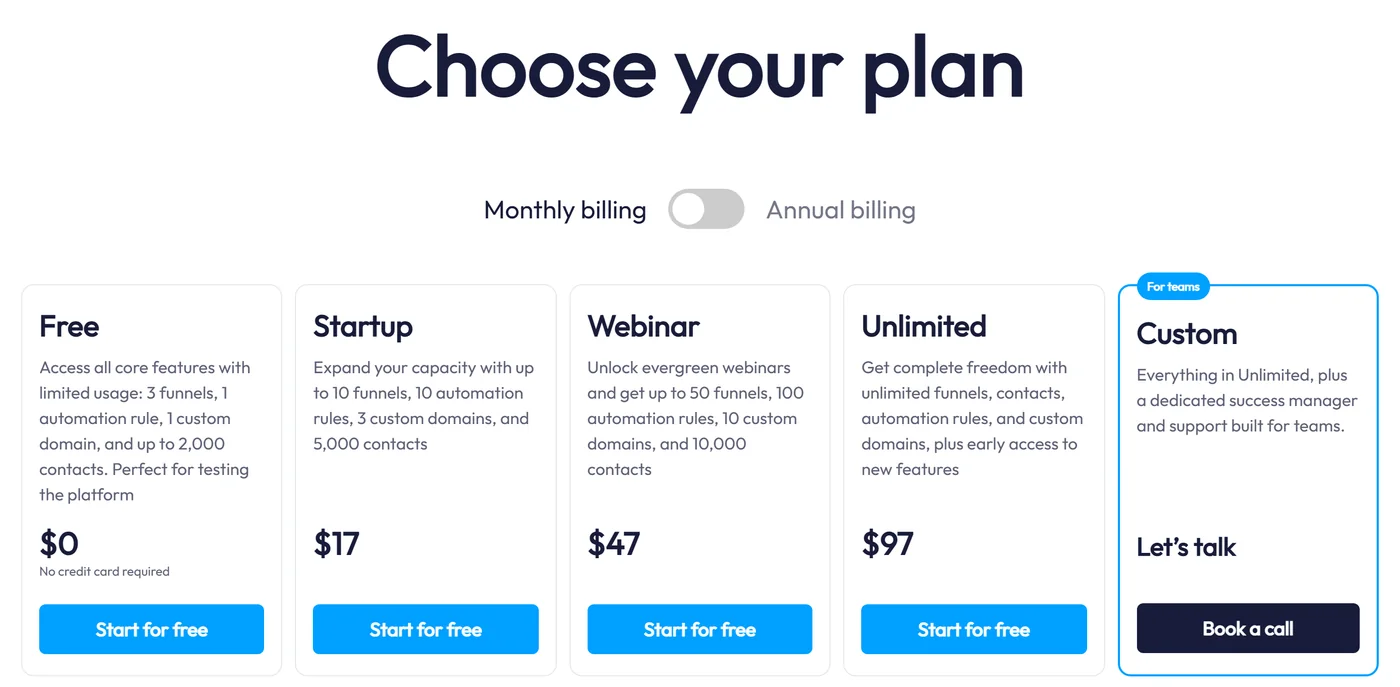
| Plan | Monthly | Yearly | Contacts |
|---|---|---|---|
| Free | $0 | Not offered | 2,000 |
| Startup | $17 | $170 | 5,000 |
| Webinar | $47 | $470 | 10,000 |
| Unlimited | $97 | $970 | No cap |
Those four lines are the whole price list as of 24 November 2026.
Kajabi Keeps the Course Seller, Systeme.io Keeps the Beginner
Two buying philosophies collide in this category, and each one explains a customer the other cannot win. Kajabi sells a finished business system to someone already earning: Basic at $179 a month, Growth at $249, Pro at $499, an app in the top tier, cohort tooling and a checkout with no revenue share. The buyer paying that price wants a course business that looks established, and expects the platform to carry the polish. ClickFunnels argues a different case at $97, $197 and $297 a month, where the funnel is the product and traffic campaigns feed it.
Systeme.io argues a third case to a third buyer: someone with an offer and no list, who needs a page, an email follow-up and a checkout this week and cannot justify $179 before the first sale. Three things the other platforms do better are worth naming, because a review that only counts wins is marketing. Kajabi’s course analytics and cohort features outclass anything here, ClickFunnels ships a deeper funnel testing workflow with more granular split tests, and Teachable handles accredited course delivery with certificates at $39 for its entry tier. Where this platform wins is the total bill before revenue exists. The Systeme.io vs ClickFunnels comparison answers which platform costs less for a seller who needs pages, email and a course area on one bill.
The break point is contact count. A seller past 10,000 contacts who needs cohort reporting will spend less time fighting tooling on Kajabi than on a funnel builder with a course add-on, and the $179 becomes cheap against the hours saved. Below that line, the platform earns its keep because the alternative is three subscriptions and a spreadsheet. Buyers comparing the whole field can start from the side-by-side comparisons before committing to a tier.
Where It Falls Short: No Refunds, a Sales Ceiling, a Thin Blog
The terms of service state plainly that subscription plans are not refundable, and that single clause changes how a buyer should approach the first payment. Paying a year up front locks the decision: canceling stops the next charge and keeps access until the paid term ends, but the amount already billed stays billed. Combined with a contact ceiling, a wrong tier choice turns into a sunk cost measured in months rather than a mistake that can be undone with an email.
The free plan carries its own ceiling that deserves emphasis: accounts on it process up to $10,000 in lifetime sales revenue, and affiliate commissions are excluded from that figure. Paid plans have a separate rule, where exceeding the plan limits triggers a notice and then an automatic upgrade billed at the higher rate if usage is not reduced. Neither clause appears on a promotional page, and both matter more to a growing seller than any seasonal offer would.
The blog is the third gap, and the one most likely to cost traffic. Posts publish, schedule and take comments, yet the editor offers no schema controls, no advanced internal linking tools and no built-in image optimization pipeline, so a content-led strategy ends up on WordPress with the funnel pointing at it. Sellers building a business on organic search should plan for that split from the start; a shop selling to an existing list will never notice.
The contact list does leave with you: select the contacts in the CRM, open More actions and choose Export, and the platform mails a CSV that stays downloadable for three days before it is deleted. That export carries the selected contacts, so funnel page layouts, course modules and automation rules are rebuilt by hand on the next platform, which decides how much planning the move needs before a year is paid up front.
Support rounds out the picture with a detail that decides launch week: email support runs seven days a week with an average first response under two hours, and there is no phone line to call during a launch. For a $17 subscription that is a reasonable trade, and for a seller whose checkout breaks on launch day it is the first thing they will curse.
A Follow-Up Sequence Built From Six Blocks
One automation rule recovers more revenue than any discount on the subscription, and it fits inside the ten rules Startup allows. The sequence below handles a webinar signup that never buys, which is the leak a solo seller cannot watch by hand. Steps use the platform’s own blocks, and the messages are short enough to send as written.
- Trigger: Form submitted on the webinar registration page, with the tag “webinar-nov” applied automatically at signup.
- Action: Send email, subject “Your seat is saved”, body naming the session time and one promised takeaway.
- Wait: until 24 hours before the session start time.
- Action: Send email with the join link and a line reading “Reply with your biggest question and I will answer it live”.
- Wait: 18 hours after the session ends.
- If/Else: contact opened at least one email in the last three days, then run the offer branch; otherwise run the replay branch.
- Action on the offer branch: Send email, subject “The replay and the $49 seat”, with the checkout link and a 72 hour window.
- If/Else: order paid, then remove the tag “webinar-nov” and stop; otherwise add the tag “follow-up-warm” and end the rule.
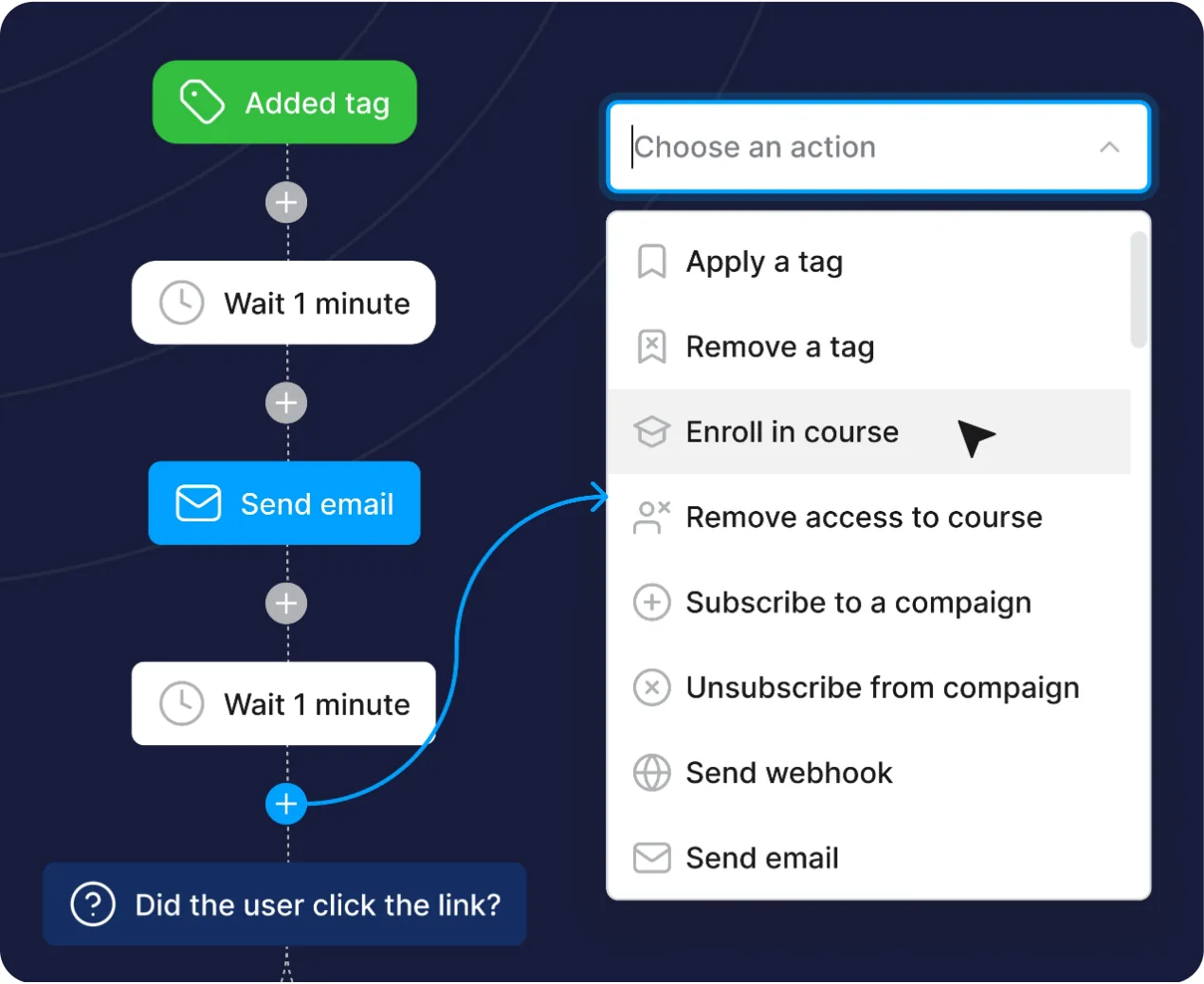
That rule replaces an email platform and a scheduling add-on, which is where the comparison against a stack of separate subscriptions comes from, and it runs on the cheapest paid tier. The reply request in step four is doing quiet work: answers land in the inbox, and the ones that arrive become the objections the next launch answers before they are raised.
Imagine a Coach With 2,400 Contacts and a Launch Next Month
Imagine a coach in Austin selling a $300 group program, sitting on 2,400 contacts after a slow year, who reads that a platform like this one is cheap and signs up on the free plan to test it. This is an illustrative scenario rather than a client story, and only the arithmetic travels to a real account. Twenty of those contacts buy during the launch, which is $6,000 of sales, and the gateway takes $174 in percentage fees plus $6 in fixed fees.
Two things break at that point. The free plan’s 2,000 contact ceiling was already passed, and its $10,000 lifetime sales cap is two launches away, so the upgrade happens mid-campaign rather than at a chosen moment. Moving to Startup on the monthly rate costs $17, and switching that same plan to yearly costs $170 for the full twelve months, which saves $34 against paying monthly. Platform and gateway together come to $350 for the year, which is 5.8% of the $6,000 the launch collected.
The same account faces a smaller risk that costs more. Courses on Startup cap at five, so a coach planning a second and third program has to count products rather than contacts, and the sixth program forces Webinar at $47 a month. A seller who checks the contact count and the course count before paying picks a tier once; a seller who checks only the contact count pays the difference as an upgrade.
The Verdict for Coaches, Course Sellers and Product Shops
Buy it if you have an offer, fewer than 5,000 contacts and a checkout that needs to work this week, because $17 buys four jobs that would otherwise cost four subscriptions. Skip it if you sell accredited courses needing cohort reporting, if your growth plan depends on organic search volume, or if you are past 10,000 contacts and need the reporting a larger platform ships. The rule that settles the choice is simple: if the number of contacts you add each month reaches your tier ceiling within the year, buy the tier above today rather than upgrading mid-launch.
Then pay yearly, before the first monthly charge rather than after it, because the reduction applies from the first cycle and the plan does not refund. Anyone still undecided should spend a week on the free plan with ten fake contacts and one real funnel: the platform’s limits are visible inside the account, and a week of use answers more than a month of reading, including this review.
Only if your list fits under 5,000 contacts: yearly billing saves $34 on Startup.
FAQ
Is Systeme.io good for beginners?
Yes, for a first offer with a small list. Templates open pre-built, every tier carries the same tools, and the entry tier costs nothing with no card required, so a beginner can build a page, a follow-up and a checkout without paying before the first sale.
Does Systeme.io take a cut of my sales?
No. The platform charges 0% of transaction value, but Stripe or PayPal still applies its own rate, which on a domestic card runs 2.9% and 30 cents, so the gateway invoice arrives separately and scales with revenue rather than with the plan.
What happens when I pass my plan limits?
The terms give you a three day window to reduce usage back inside the tier. Past that window the subscription is upgraded automatically and billed at the higher rate for the rest of the term, which is why a 50% buffer on the contact count is worth planning for.
Can I get a refund if the plan is wrong for me?
Subscription plans are not refundable. Stopping the plan halts the following charge and access continues to the end of the paid period, so the safe path is to test on the free tier and pay yearly only once the tier decision is settled.
Does Systeme.io work if I sell physical products?
It does, with shipping management, variants, inventory and cash on delivery inside the same checkout, though a shop needing carrier rate calculation at volume will want a dedicated storefront instead of a funnel builder handling fulfillment.
How long does it take to move an existing business over?
Manual migration of contacts, pages, courses and automations is included on an Unlimited monthly plan or any yearly plan, and the vendor puts the average job at 17 days. Imports run through a consent check before sending, so plan the move before a launch rather than during one.
Still weighing it after the FAQ? Open the free account and read the plan limits against your own numbers.
← Previous: Every Systeme.io review and guide on this site
Next →: Browse the full review library for creators
About the Author

Antonio Vance is B2B SaaS Operations Director & Lead Reviewer (CreatorStackIQ Editorial Team). He has spent 8+ years deploying and auditing enterprise CRM, marketing automation, and email deliverability infrastructures for digital agencies, including the funnels, checkouts, and follow-up sequences built on top of them. At CreatorStackIQ, he builds each review from the vendors’ published pricing pages, help-center documentation and changelogs, cross-checks them against verified user reviews, and re-checks prices and plan limits every month.
Some links on this page are affiliate links, including links to Systeme.io, so we may earn a commission at no extra cost to you; this never changes our scores or recommendations.
see what $17 covers before you pay